
Whether you’re joining a new job, renting out your property, hiring domestic help, or completing a personal background verification, a Police Verification Certificate (PVC) issued by the Tamil Nadu Police is often required. Eligible residents can now apply through the Tamil Nadu Police Citizen Portal, which removes the need to visit multiple government offices — though the local police station still carries out address verification in person before the certificate is issued.
This guide covers applying for the certificate online, understanding how PVC differs from PCC, checking application status, downloading the certificate, and avoiding the mistakes that most commonly delay applications.
What Is the TN Police Verification Certificate
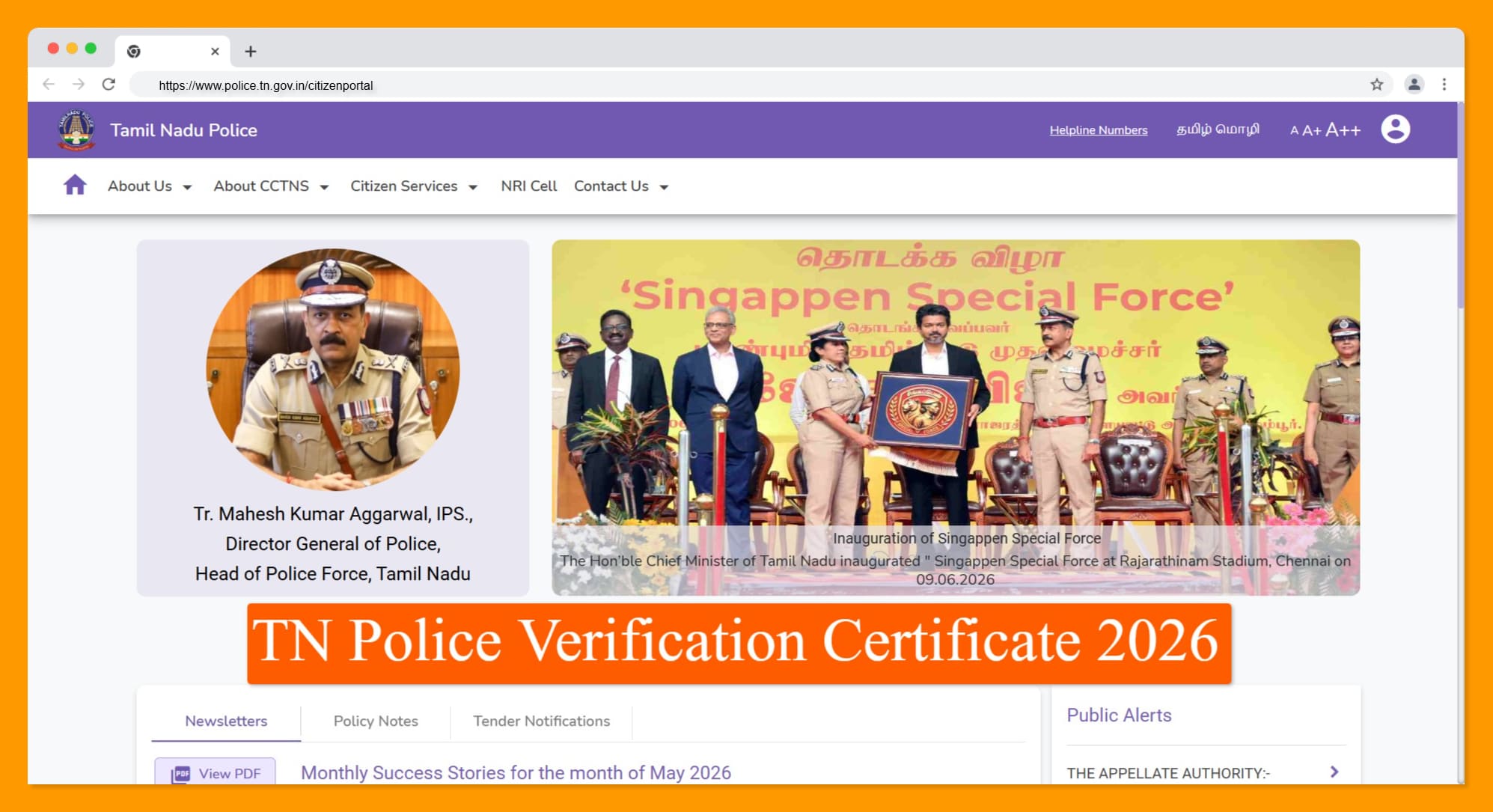
Applications go through the Tamil Nadu Police Citizen Portal at eservices.tnpolice.gov.in, while physical verification is handled by the jurisdictional police station before approval.
| Particular | Details |
|---|---|
| Certificate | Police Verification Certificate (PVC) |
| State | Tamil Nadu |
| Issuing Authority | Tamil Nadu Police |
| Application Mode | Online |
| Verification | Physical address verification by local police |
| Official Portal | eservices.tnpolice.gov.in |
The main departmental site, police.tn.gov.in, is separate from the applications portal — it carries department information, police station details, and public announcements, while eservices.tnpolice.gov.in is specifically where new applications, status tracking, payments, and certificate downloads happen.
Several unofficial websites and agents claim to offer police verification certificates for an added fee. Aadhaar details, personal information, or payments should never go through anything other than the official portal — worth double-checking the URL belongs to Tamil Nadu Police before submitting anything.
PVC vs PCC —
| Feature | Police Verification Certificate (PVC) | Police Clearance Certificate (PCC) |
|---|---|---|
| Purpose | Jobs, tenant verification, domestic help, self verification | Passport, visa, immigration, overseas employment |
| Issuing Portal | Tamil Nadu Police Citizen Portal | Passport Seva Portal |
| Issuing Authority | Tamil Nadu Police | Passport Authorities |
| Common Requirement | Employers, landlords | Embassies and foreign authorities |
If an employer specifically asks for a Police Verification Certificate, the Tamil Nadu Police portal is the right place. For anything passport or visa-related, that’s a Police Clearance Certificate through the Passport Seva Portal instead — applying for the wrong one is one of the most common (and avoidable) mistakes.
Choosing the Right Verification Type
| Verification Type | Purpose |
|---|---|
| Self Verification | Personal background verification |
| Job Verification | Required by employers before appointment |
| Tenant Verification | Verification of new tenants |
| Domestic Help Verification | Verification of maid, cook, driver, caretaker, etc. |
Picking the correct category up front matters — it determines which fee applies and how the application gets processed. According to the fee structure listed on the portal, Self, Tenant, and Domestic Help Verification carry a smaller payment surcharge (around ₹5 for credit card, ₹5.90 for net banking), while Job Verification’s surcharge is roughly double that (around ₹10 for credit card, ₹11.80 for net banking) — on top of the base application fee.
Documents Required
Before starting, it helps to have these ready:
- adhaar Card,
- a recent passport-size photograph,
- valid address proof, a
- purpose-specific supporting document,
- active mobile number for OTP verification and status updates.
How to Apply Online for PCC
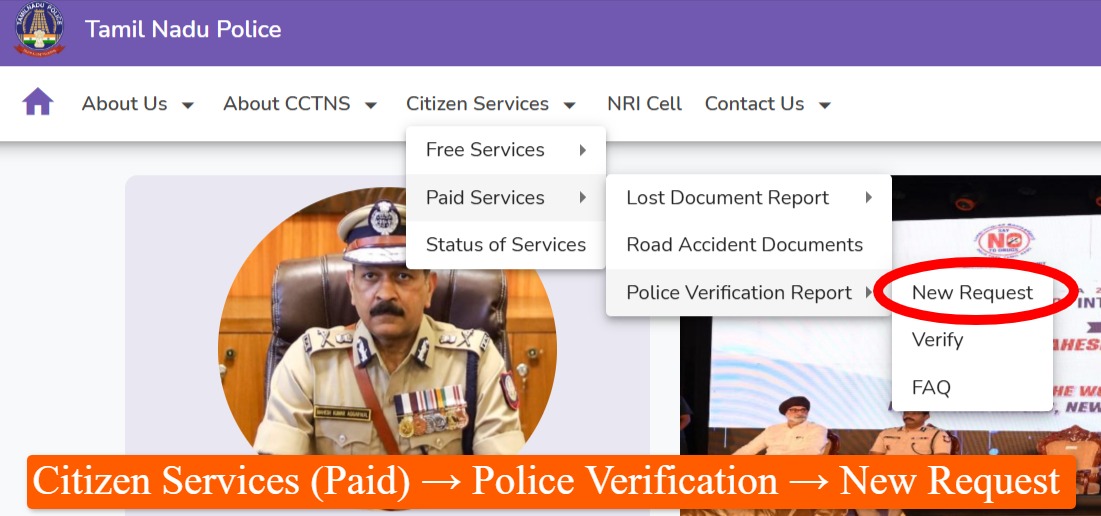
- Open the Tamil Nadu Police Citizen Portal and navigate to
-
- Citizen Services (Paid)
- Police Verification
- New Request.
- Log in using your mobile number.
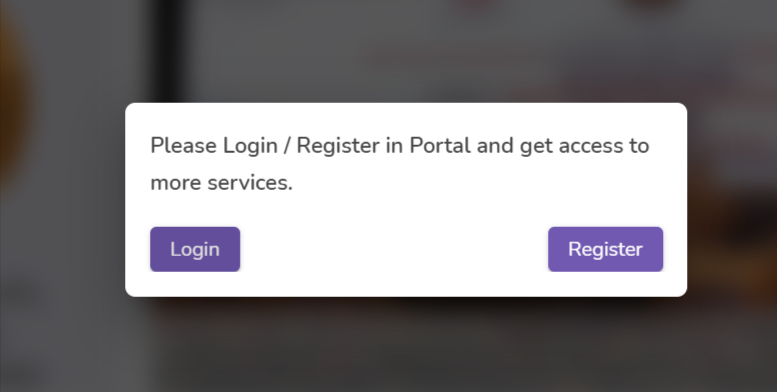
- Select the verification type that matches your need — Self, Job, Tenant, or Domestic Help — and read the instructions before proceeding.
- Pay the application fee online (UPI, debit card, credit card, or net banking are generally supported), and wait until payment confirms before continuing.
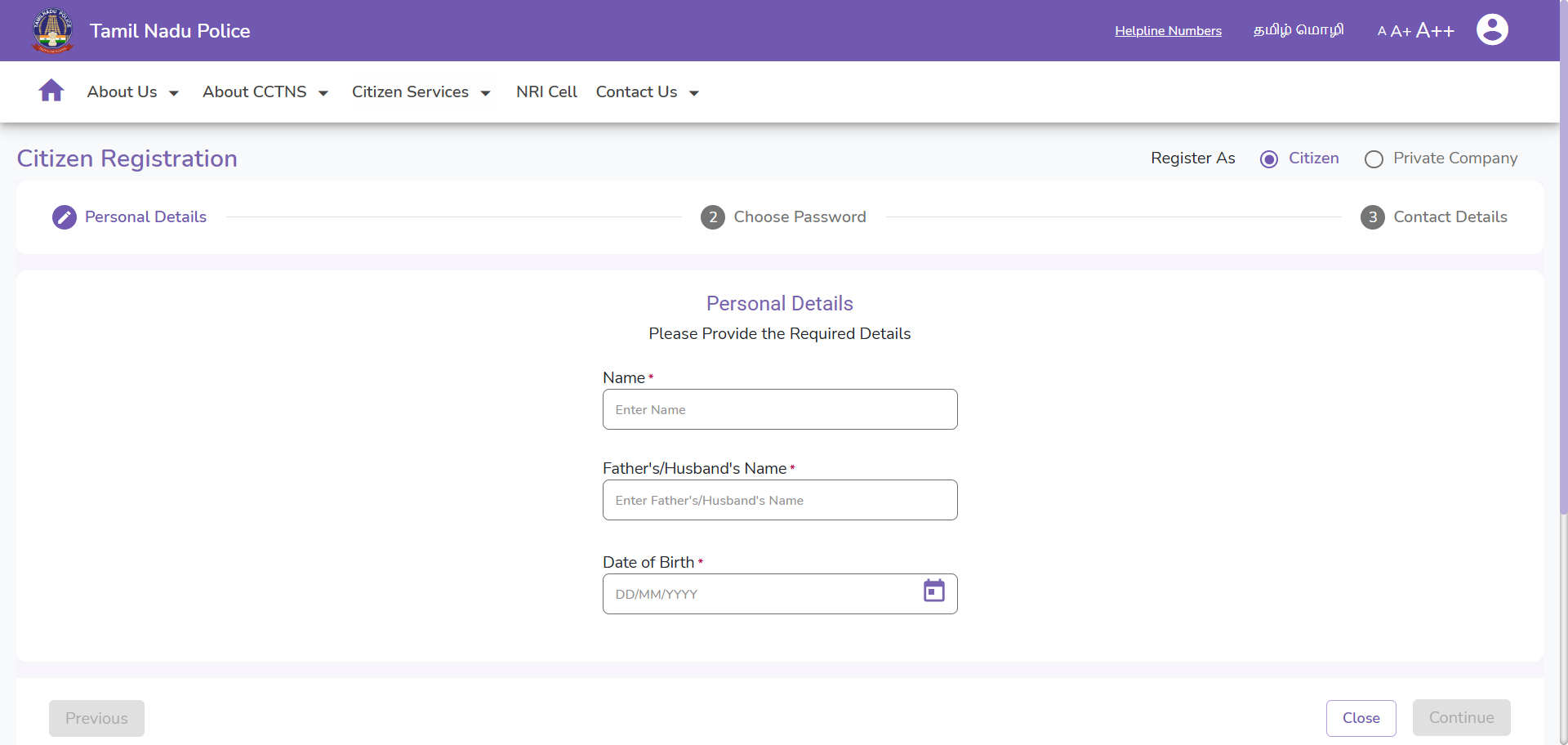
- Fill in the application form — name, date of birth, Aadhaar number, residential address, purpose of verification, and employer or landlord details if applicable.
- Upload scanned copies of the required documents,
- checking that images are clear and file sizes meet the portal’s limits.
- After Reviewing the application, please submit it.
- you will get a confirmation SMS, and An Acknowledgement Number is generated.
The application gets forwarded to the jurisdictional police station based on the applicant’s address. From there, the process generally involves assignment to the local station, physical address verification, identity verification, a check of available police records, and finally approval or rejection based on what’s found. Staying available at the registered address during this window matters — if the visiting officer can’t reach anyone, the process stalls.
Checking Application Status
- Visit the Citizen Portal,
- open the Police Verification section,
- select View Status.
- Enter the Acknowledgement Number and registered mobile number,
- then submit to see the current status.
| Status | Meaning |
|---|---|
| Application Submitted | Application successfully received |
| Under Verification | Police verification in progress |
| Verification Completed | Physical verification completed |
| Certificate Issued | Certificate available for download |
| Rejected | Application not approved — review the reason and reapply if needed |
Downloading the Certificate
- After approved,
- log in to the Citizen Portal,
- open My Applications,
- select the approved application,
- click Download Certificate to save the PDF.
- It can be printed afterward if a physical copy is needed.
What Happens During Police Verification
After the online submission, the jurisdictional police station carries out a field verification — typically visiting the applicant’s residential address, confirming identity, verifying residence, speaking with neighbours or references where needed, and reviewing available police records. If everything checks out, the certificate gets approved and issued through the portal.
Common Mistakes That Delay Applications
Applying for PVC instead of PCC — anyone who actually needs a certificate for passport or visa purposes shouldn’t be applying here at all; that’s a separate process entirely.
Incorrect address — the residential address on the application needs to match what’s in the supporting documents. Mismatches are a frequent cause of delay or rejection.
Not being available during verification — if the officer visits and nobody’s around, the process gets pushed back rather than simply retried later.
Using unofficial agents — anyone promising faster approval for a fee outside the official portal isn’t a shortcut, just a risk.
FAQ
How long does it take to get the certificate? It depends on how quickly local police verification completes and the workload at the concerned station — there’s no fixed universal timeline.
Can landlords apply for tenant verification? Yes, under the Tenant Verification category, by providing the required tenant information and supporting documents.
What if my application is rejected? If rejected then you have to check the rejection reason shown on the portal, after checing fix the issue if it’s something correctable, and submit a fresh application. The jurisdictional police station can also clarify if needed.
For related Tamil Nadu government services, the TN e-Sevai / TNeGA guide covers other certificate services, TN e-District handles community and income certificates, TN Velaivaaippu Registration covers employment registration, and TN Registration Portal (TNReginet EC) is where encumbrance certificates and property registration happen.
| Purpose | Official Portal |
|---|---|
| Police Verification Portal | eservices.tnpolice.gov.in |
| Tamil Nadu Police | police.tn.gov.in |
| Passport Police Clearance Certificate | passportindia.gov.in |
The application itself can be completed entirely online, but the physical visit by local police to confirm identity and address stays a mandatory part of the process — that’s the one step no amount of digital convenience removes. Selecting the correct verification category, keeping documents ready, and getting the address details right upfront makes the rest of the process considerably smoother.