
Karthik completed his engineering degree in Coimbatore in April 2026. His first concern was not a job — it was seniority.
In Tamil Nadu, government job seniority is calculated from the date of Employment Exchange registration. Every month of delay means losing your position in line — sometimes for years.
His father’s advice: “Register today. Not tomorrow.”
He registered at tnvelaivaaippu.gov.in in 12 minutes. His seniority date: May 13, 2026.
TNVelaivaaippu (தமிழ்நாடு வேலைவாய்ப்பு) — also called the Empower Portal — is the official Tamil Nadu Employment Exchange online platform. Managed by the Department of Employment and Training, Government of Tamil Nadu. Launched September 15, 2013. Covers all 38 districts of Tamil Nadu. Registration is free and takes 10-15 minutes.
Official Portal: tnvelaivaaippu.gov.in/Empower Helpline: 044-28514518
Quick Answer (விரைவு பதில்): New Registration: tnvelaivaaippu.gov.in/Empower → New User Registration → Fill form → Submit Login: tnvelaivaaippu.gov.in/Empower → Login → Job Aspirants Renewal: Login → Candidate Renewal → Submit Validity: 3 years from registration date Professional degree update: Visit Regional Employment Office in person
⭐ TVK ₹4,000 Scheme — June 2026 Status
Honest update — what is confirmed and what is not:
| Detail | Status |
|---|---|
| Degree holders monthly allowance | ₹4,000 announced |
| Diploma/12th/ITI holders | ₹2,500 announced |
| Portal launched? | ❌ Not yet |
| Official eligibility released? | ❌ Not yet |
| Expected launch | August 2026 (first 100 days of TVK govt) |
| Employment Exchange registration required? | Very likely — register now |
TVK ₹4,000 is an election manifesto promise by Tamilaga Vettri Kazhagam (TVK) for the 2026 Tamil Nadu Assembly elections. The scheme has been announced but not yet implemented. Official eligibility, portal, and launch date are not released as of June 2026. Action: Register at TNVelaivaaippu now — Employment Exchange registration is expected to be mandatory. Your seniority date starts from today.
Why Register Now?
Three reasons:
1. Government job seniority: Tamil Nadu government job referrals are based on Employment Exchange seniority date. Every day of delay = lower priority.
2. TVK scheme preparation: When the ₹4,000 scheme portal launches, Employment Exchange registration is expected to be a mandatory condition.
3. Job referrals: Government departments and PSUs send vacancies to Employment Exchanges — registered candidates get notified first.
Who Should Register?
| Qualification | Register? |
|---|---|
| 8th pass | ✅ Yes |
| 10th pass (SSLC) | ✅ Yes |
| 12th pass (HSC) | ✅ Yes |
| ITI / Diploma | ✅ Yes |
| Undergraduate degree | ✅ Yes — Empower portal |
| PG / Professional degree | ✅ Yes — Regional Employment Office |
New Registration — Step by Step
Step 1: Go to tnvelaivaaippu.gov.in/Empower
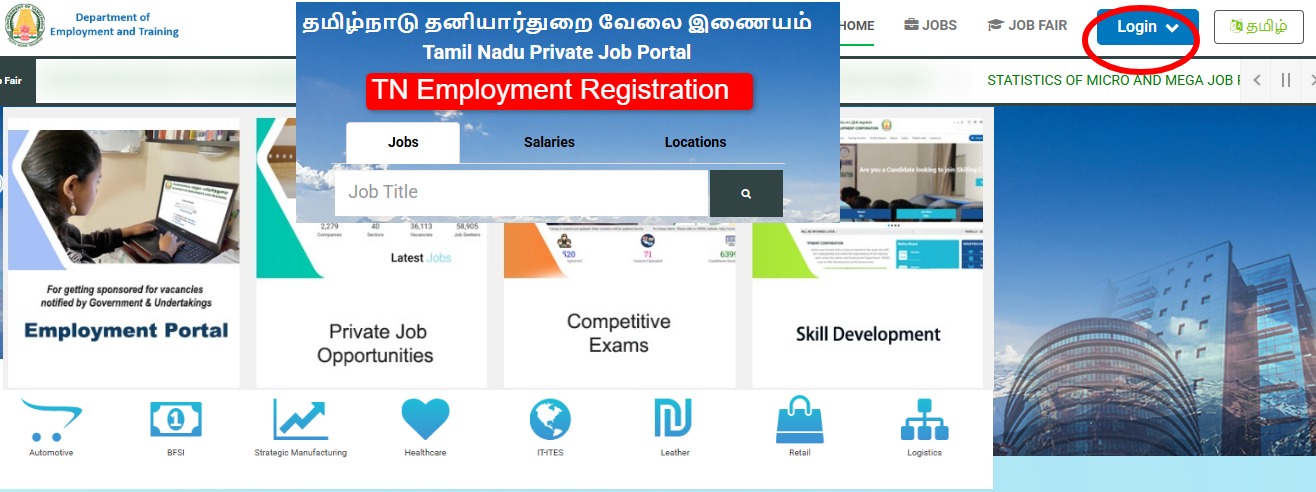
Step 2: Click “For New User ID Registration — Click Here”
Step 3: Read terms → Click “I Agree”
Step 4: Fill registration form:
- Full name
- Father’s name
- Gender, date of birth
- Email ID + mobile number
- Aadhaar card number
- Ration card (Family Card) number
- Create User ID and password
Step 5: OTP verification → mobile and email
Step 6: Add qualifications:
- Select qualification type (10th/12th/Diploma/Degree)
- Enter institution, board, year, percentage
- Add all completed qualifications
Step 7: Submit → Download registration card → Print
Registration is completely free. Keep the registration number and card safely — needed for renewal, referrals, and future scheme applications.
Login — After Registration
Step 1: tnvelaivaaippu.gov.in/Empower → “Login”
Step 2: Select “Job Aspirants” → “Government/Public Sector”
Step 3: Enter User ID + Password → Login
Step 4: Dashboard → Update profile, check status, renew
Renewal — How to Renew
Registration valid for 3 years — renew before expiry:
Step 1: Login → Dashboard
Step 2: “Candidate Renewal” option
Step 3: Verify details → Update if needed → Submit
Renew within 3 months before or after expiry — seniority date preserved. Miss the renewal window = seniority date resets to renewal date = significant loss.
⭐ Professional Degree — How to Add (Comment Answer)
Existing Employment Exchange certificate holders wanting to add a professional degree:
This cannot be done online — it requires a physical visit. The error you see when trying to add professional course data online is by design — not a bug.
Correct process:
For Chennai and North Tamil Nadu candidates: Visit: Professional Employment and Career Guidance Centre, Chennai Address: DMS Campus, Park Town, Chennai – 600003
For Madurai and South Tamil Nadu candidates: Visit: Professional Employment and Career Guidance Centre, Madurai Address: Contact District Employment Office, Madurai
What to carry:
- Original Employment Exchange registration card
- Professional degree certificate (original + copy)
- Mark sheets (all semesters)
- Aadhaar card
- Passport photo (2)
After verification, your professional qualification is added to the existing registration — seniority date is preserved. Do not create a new registration — you will lose your original seniority date.
Documents Required for Registration
| Document | Detail |
|---|---|
| Aadhaar Card | Mandatory — identity and address |
| Ration Card (Family Card) | For address verification |
| Educational certificates | All qualifications — original at regional office |
| Email ID + Mobile | For OTP and notifications |
| Photo | For regional office visit |
Common Problems + Fix
“Portal showing error when adding professional course data”: This is the correct behaviour — professional degree addition requires physical visit to Regional Employment Office. Do not create new registration.
“Login not working”: Forgot password → Login page → “Forgot Password” → Registered email → Reset link.
“Registration card not downloading”: Use Chrome browser. Check spam folder if confirmation email not received. Try after 30 minutes.
“Renewal option not visible”: Renewal option appears only within 3 months before expiry or 3 months after. If outside this window, contact Employment Office directly.
“Old registration expired years ago”: Register fresh — note that seniority date will be today’s date. Previous registration cannot be revived after long gap.
FAQ — அடிக்கடி கேட்கப்படும் கேள்விகள்
How to register on TNVelaivaaippu? (வேலைவாய்ப்பு பதிவு எப்படி செய்வது?) tnvelaivaaippu.gov.in/Empower → New User Registration → Fill details with Aadhaar and qualifications → Submit. Free. Takes 10-15 minutes.
How long is TNVelaivaaippu registration valid? 3 years. Renew within 3 months before or after expiry to preserve original seniority date.
I have an existing Employment Exchange certificate and want to add my professional degree — the portal shows error. What should I do? This is correct — professional degree addition is not available online. Visit the Regional Employment Office in Chennai (DMS Campus, Park Town) or Madurai in person with original degree certificates and your existing registration card. Do not create a new registration as it will reset your seniority date.
Is TVK ₹4,000 scheme portal launched? No — as of June 2026, the portal has not been launched. The scheme is an election promise by TVK for the 2026 Assembly elections. Official eligibility and launch date not yet announced. Register at TNVelaivaaippu now to be ready.
Will Employment Exchange registration be required for TVK scheme? Very likely — but not officially confirmed yet. Register now as a precaution.
Helpline: 044-28514518 | tnvelaivaaippu.gov.in/Empower
Official Links
| Purpose | Link |
|---|---|
| Registration/Login | tnvelaivaaippu.gov.in/Empower |
| TN Employment Dept | tnvelaivaaippu.gov.in |
| Regional Office Chennai | DMS Campus, Park Town, Chennai |
| Helpline | 044-28514518 |
Karthik registered the same day. Seniority date locked. When government job notifications come — he is in the queue from May 13, 2026.
Tamil Nadu unemployed graduates and diploma holders — register at tnvelaivaaippu.gov.in/Empower today. Seniority date matters. தமிழ்நாடு வேலைவாய்ப்பு பதிவு — இன்றே பதிவு செய்யுங்கள். திறமை கார்டு தேதி முக்கியம்.
Related Articles:
i already have employment exchange certificate and now i want to add my professional degree when i was loged in and selected the professional course login of chennai / madurai its generating new registration but what is the problem here is after i added my professional degree datas and i clicked save option and continue its shows error please fix this error.
Thank you
Thank you for raising this. Adding a professional degree to an existing Employment Exchange certificate cannot be done online — the portal error you see is by design, not a bug.
You need to visit the Regional Employment Office in person:
North TN / Chennai: Professional Employment and Career Guidance Centre, DMS Campus, Park Town, Chennai – 600003
South TN / Madurai: Professional Employment and Career Guidance Centre, Madurai
Carry: Original degree certificate + mark sheets + existing registration card + Aadhaar + 2 photos.
Important: Do NOT create a new registration — you will lose your original seniority date. Your existing card will be updated with the professional qualification.
Jiwen Singh Narma
Hii Sir,Iam Anitha, my native also Namakkal,,